

Users of both the Redmi Note 14 Pro and Poco X7 devices can expect to receive a minor security patch update very soon. This update will address and fix numerous bugs currently present on the devices. Essentially, this serves as an optimization update designed to enhance the device’s overall performance. So, let’s find out when all users can expect to receive this update and what new improvements it brings.
Redmi Note 14 Pro and Poco X7 HyperOS 3 based February 2026 Patch Update
A new update has started rolling out for both of these devices, bearing the version number 3.0.5.0.WOOINXM. This is a minor patch update that includes the Android Security Patch for February 2026. The file size for this update is approximately 25 MB. Since this is strictly a patch update, you will not see any new features added to the device after installation.
Redmi Note 14 Pro/Poco X7 February 2026 Patch Update Changelog
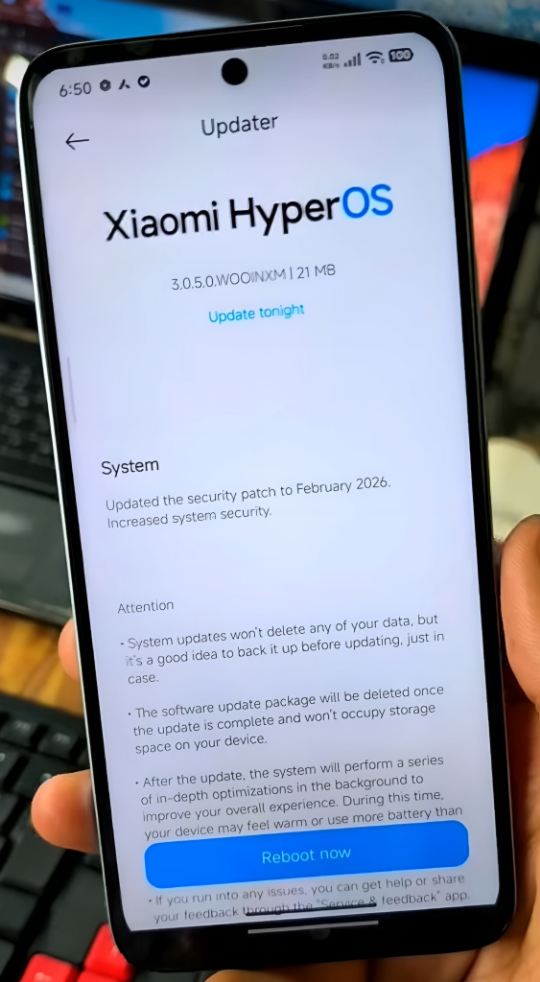
Upon installing this update on your phone, in addition to the February security patch, you will notice improvements in system stability and optimization. Consequently, animations will become smoother, and background app management will be further enhanced. Several issues – such as app crashes and bugs that were previously observed (including DND mode automatic off and permission-related glitches) – have now been resolved.
The Camera app will become significantly more stable – specifically, issues previously encountered during video recording have been fixed in this update. Memory allocation has been improved, and power efficiency has also been enhanced. Furthermore, heating issues that users may have experienced during gaming or heavy usage are expected to be resolved with this update.
Overall, this is a stable update released specifically to fix bugs and optimize the system. All users are expected to receive this update within the next few days, although the exact timeline for receiving it may vary from user to user. No major bugs or issues have been reported or detected following the installation of this update. Those who haven’t received it yet can still manually check for the update by going to the Settings app on their phone and navigating to the updates section. If you still don’t see it, please wait a little longer; you will receive it.
Also Read: OnePlus 13 5G OxygenOS 16-based Incremental Update: For Indian Users