

An important update OxygenOS 16 based on Android 16 has finally started rolling out for OnePlus Nord 4 users. Many users have likely been awaiting this update, as it introduces two new features. While this is primarily a patch update designed to enhance the device’s security, it also brings along some significant new features. So, let’s find out when all users can expect to receive it and exactly what new features are included.
OnePlus Nord 4 OxygenOS 16.0.5.701 Update
A major OxygenOS 16 update had already arrived on the OnePlus Nord 4 device some time ago. That was followed by an optimization update, and now, the Android security patch for March 2026 is finally being released. This latest security patch will bolster the device’s data privacy and enhance its overall security. The version number for this update is CPH2661_16.0.5.701(EX01), and it comes with a file size of approximately 1.63 GB.
OxygenOS 16.0.5.701 Update Changelog
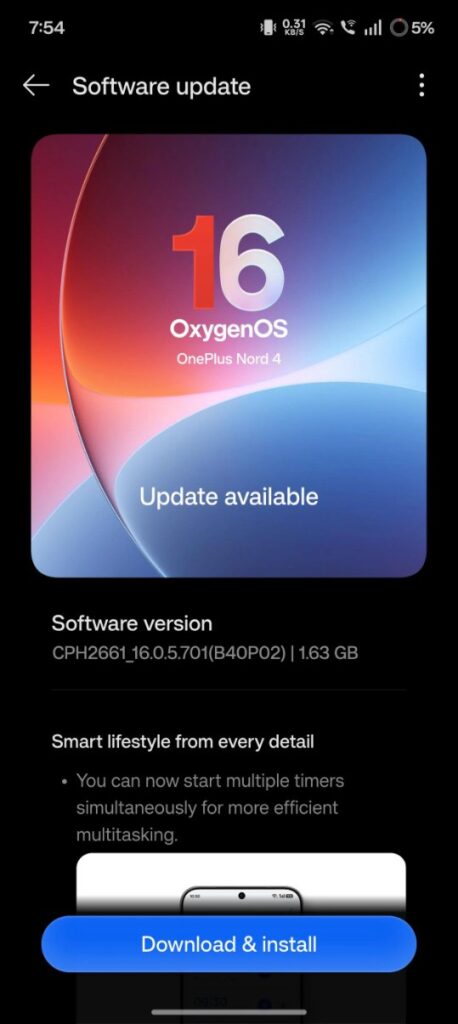
Among the two new features added in this update, one is Multiple Timers. This feature allows users to run multiple timers simultaneously. Furthermore, whenever you set a timer, the system will now display the exact expected end time in advance. Additionally, the Content Portal has been improved to make sharing content with cloned apps much easier. This means that if you have created a clone of any social media app, sharing content directly to that cloned app is now a seamless process.
User Reviews of This Update
Many users are pleased to have received this update. This indicates that the new features introduced have proven to be helpful for a significant number of users. Moreover, users have reported that after installing the update, their devices feel smoother and faster than before. Typically, the concern regarding the “green line issue” which often crosses one’s mind before installing updates on OnePlus devices. This has not been observed this time around – this indicates that the update is safe.
Nevertheless, before installing such an update, it is advisable to create a full backup of your device and store it in a secure location. Ensure that your phone is charged to over 50% beforehand. If you have already received the update notification, proceeding with the installation is safe.
If you haven’t received it yet, you can manually check for it by visiting the update section. Incidentally, following the installation of any update, you may notice increased battery consumption or heating issues with the device for a few days. These issues typically resolve themselves automatically some days letter.