

OPPO has started pushing out a new ColorOS 16 update for the Reno15 Pro Mini 5G. It’s a small but useful maintenance release that focuses on improving a few everyday apps rather than adding flashy new features.
Reno15 Pro Mini 5G ColorOS 16 Update Details
The update is version CPH2813_16.0.5.705 (B60P01) and the download size is just 203.17 MB. It includes the April 2026 Android security patch along with some practical tweaks. Even though the file is relatively small, the changes are the kind that actually make daily use a bit easier.
What’s New in CPH2813_16.0.5.705?
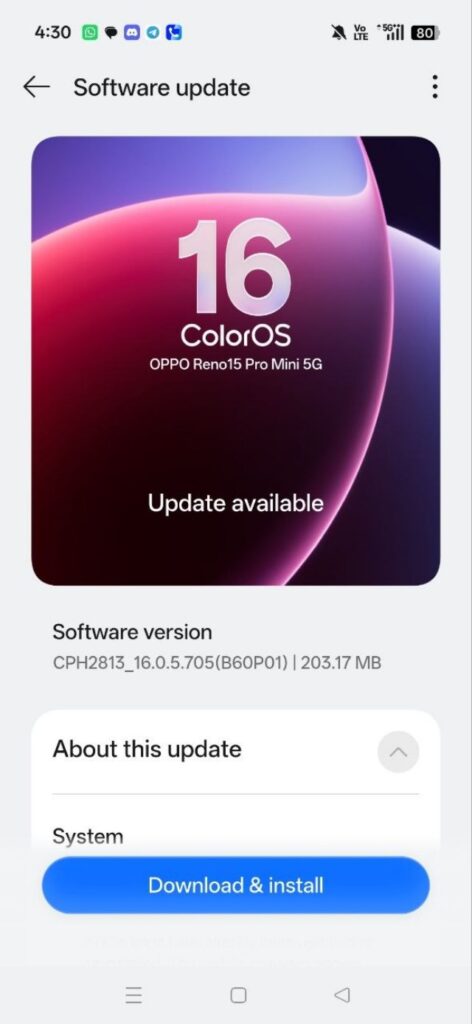
Here’s what you actually get with this update. In the Photos app, the speed control button for videos has been moved to a more convenient spot. Now you can simply tap it while watching a video instead of searching for it. The AI Writer has also been improved. The “Write anything” tool now handles more types of content, including compositions, letters, proposals, job descriptions, and even video scripts.
Lastly, the Documents app gets a handy new PowerPoint translation feature. It can translate entire presentations into other languages while keeping the original formatting, lets you view both versions side by side, and makes it easy to export the translated file.
This isn’t a huge update, so it’s rolling out gradually. Some users are already seeing the notification, while others may have to wait a few days or weeks depending on the region. Before you download, it’s a good idea to take a quick backup of your important data and make sure you’re on a stable Wi-Fi connection with decent battery. After installing, your phone might restart and spend a little time optimizing things – that’s normal.
Overall, it’s a solid incremental update that makes the Reno15 Pro Mini 5G feel a bit more refined for regular use. If you’ve already got the update, let me know in the comments how it’s working for you. Have you noticed any difference in the Photos app or AI Writer? Your feedback helps other users too.
Read More: Redmi Note 14 4G Gets HyperOS 3.1 Global Update (3.0.301.0.WOGMIXM) – Camera Changes & System Fixes