

The second major update based on OxygenOS 16 has finally rolled out for Oppo Reno 11F 5G users. While it’s essentially a patch update, it will introduce some noticeable changes to the device. Therefore, this update could be important for users, especially those who were using the beta version. So, let’s find out what it entails and when all users will be able to benefit from it.
Recently, Oppo has pushed a ColorOS 16-based patch update to Reno 11F 5G devices, dated February 2026. This is the latest security patch that will also fix some bugs on the device. This will be the first update for stable users, as the beta version of ColorOS 16 was previously available. This is the stable update, which will fix most of the bugs seen in the beta version.
What’s New on this?
If you’re installing this update for the first time, the first changes will be to the UI and animations. The animation will be smoother than before, making it easier to open, close, or multitask. AI features are available, such as AI Eraser, AI Summary and more. The UI has been changed, meaning app icons will now have a modern look.
The lag or throttling that was previously seen while gaming will be significantly controlled. Improvements have also been made to connectivity, security, and many other areas. However, some negative points have been noticed, such as heating issues and battery draining issues. Furthermore, not all AI features are available.
Oppo Reno 11F 5G ColorOS 16 Update
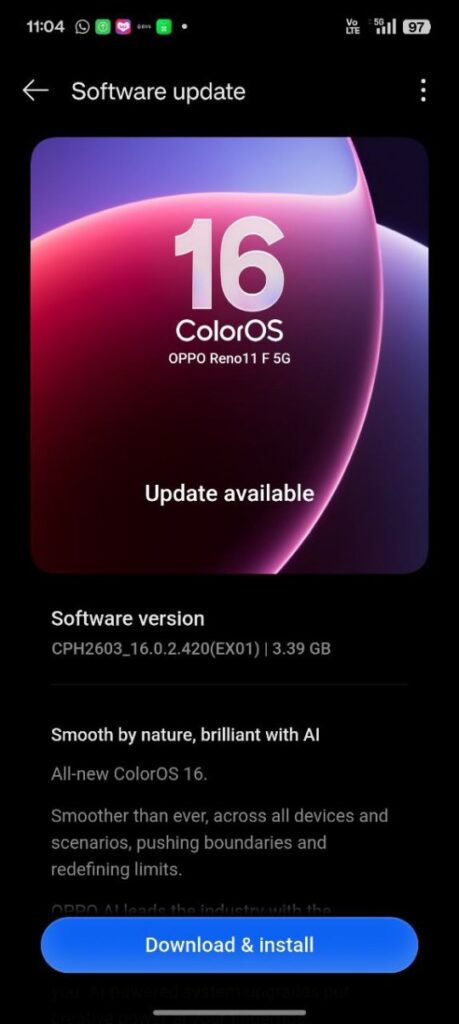
The version number of this update is CPH2603_16.0.2.420(EX01). The file size is approximately 3.39 GB (this will vary depending on the update). Immediately after the update, some users noticed that the device was heating up and the battery was draining quickly. However, this could be a common problem. Sometimes, this kind of issue is seen after an update, which gets fixed automatically within a week.
Because this is a major update, make sure to take a backup of your device before installing it. Keep your device’s battery charged above 50% before installing the update. It’s best to use high-speed Wi-Fi to install the update. The stable version has recently been released, meaning all users will receive this update, but it may take some more time to reach everyone.
Also Read: Xiaomi 12 Pro HyperOS 3 based February 2026 Patch Update: bug fixing update